> For the complete documentation index, see [llms.txt](https://docs.ts.finance/llms.txt). Markdown versions of documentation pages are available by appending `.md` to page URLs; this page is available as [Markdown](https://docs.ts.finance/incentives/tutorial-binance-wallet-campaign-round-2-complete-7-days-of-check-ins-to-unlock-200k-xp.md).
# 【Tutorial】Binance Wallet Campaign Round 2: Complete 7 Days of Check-ins to Unlock 200K XP!
> **Note:** \ Badges and XP rewards will be distributed after the campaign ends.\
> For any general inquiries or project/campaign details, please join [**our official Discord**](https://discord.gg/8rKj2DZ59k)**.** If you encounter any campaign-related issues, please open a support ticket in the server.
## Campaign Period
March 4, 08:00 UTC – March 18, 07:59 UTC
## What to Do & What You’ll Get
### Requirements
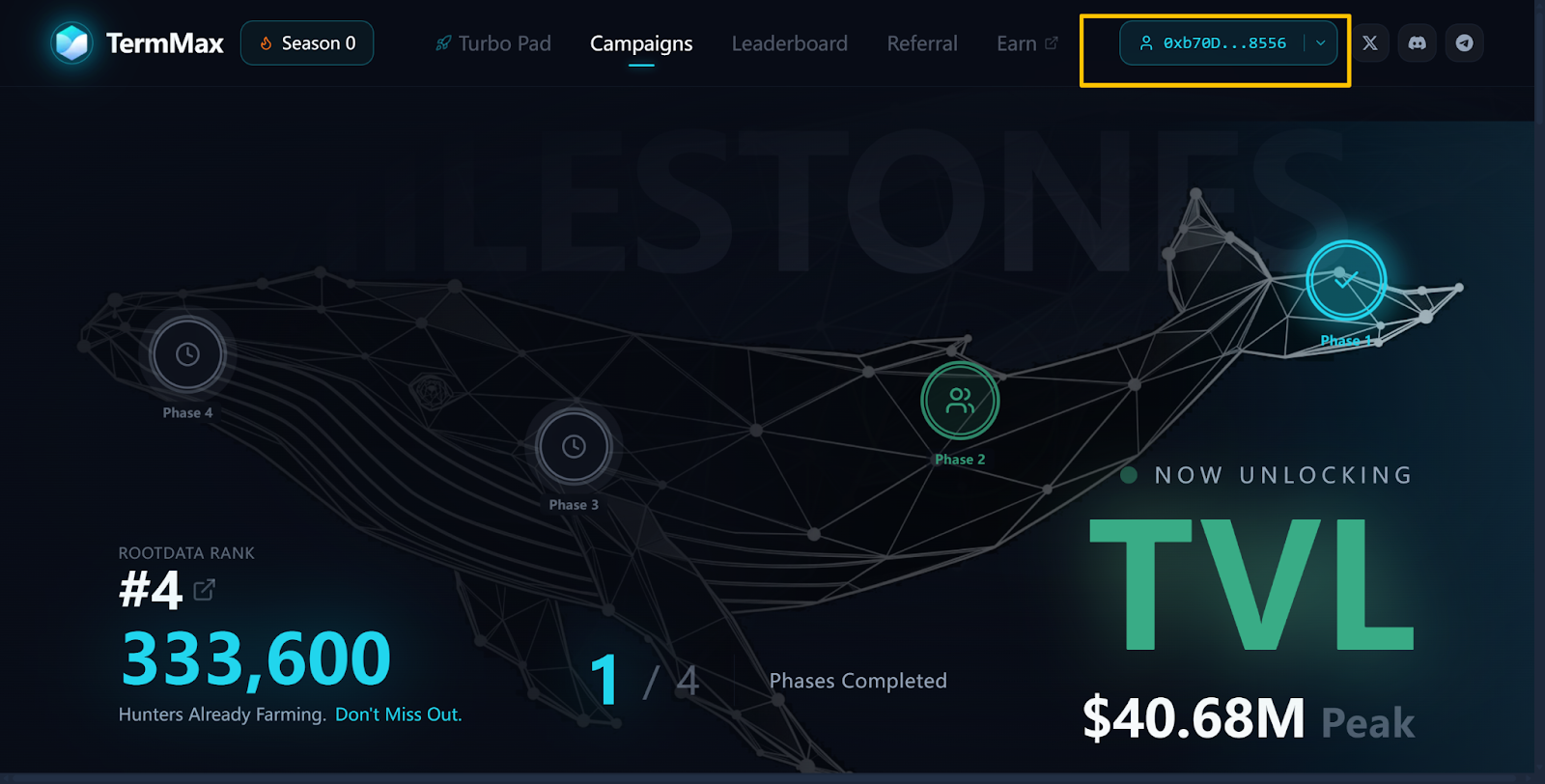
* Connect your Binance Wallet on the Leaderboard page via the [**Binance Wallet Browser Extension**](https://chromewebstore.google.com/detail/binance-wallet/cadiboklkpojfamcoggejbbdjcoiljjk?utm_medium=sdk\&utm_source=leaderboard.termmax.ts.finance) **(desktop)** or [**Binance App**](https://app.binance.com/uni-qr/web3-onchain-opportunities?utm_campaign=termmax) **(mobile)**.
* Check in on any 7 days (not necessarily consecutive) on BNB Chain during the campaign using the Binance Wallet.
* Make sure your wallet holds ≥10 USDC/USDT, or ≥0.01 BNB on BNB Chain during the campaign period.
### Rewards
* **For every eligible user:** In addition to 300 XP for each check-in (2,100 XP total for 7 days), an exclusive Binance W3W Adopter Badge and 200,000 XP will be unlocked within approximately one day after the campaign ends upon meeting the requirements.
{% tabs %}
{% tab title="Warm reminder" %}
1. Even if you complete the check-in, your Binance Wallet check-in count won’t update if any of the requirements above are not met.
2. The Binance Wallet check-in count may take 15–30 minutes to update due to on-chain processing. Kindly check back shortly.
{% endtab %}
{% endtabs %}
**To learn more about XP, see:**\
## Step by step guide
### Mobile (Binance App)
Make sure you’ve downloaded the [Binance App](https://app.binance.com/uni-qr/web3-onchain-opportunities?utm_campaign=termmax).
#### Step 1: Open the Binance App and go to the Binance Wallet tab
#### Step 2: Add your wallet address
Create a keyless wallet or import an existing wallet. If you already have a Binance Wallet address, you can skip this step.
#### Step 3: Go to the Discover tab and find TermMax
Find the **campaign banner** at the top of the Discover main page and click on it, or go to the **On-chain Opportunities** section to access TermMax.
#### Step 4: Connect to the leaderboard page
#### Step 5: Begin your daily check-ins and earn XP!
After successfully signing in to the Leaderboard page, scroll down to the **Daily Check-in** section to complete your check-in.\
\
Please note that the Binance Wallet check-in count may take 15–30 minutes to update due to on-chain processing. Kindly check back shortly.\
\
If your Binance Wallet check-in count isn’t updating, it may be because you haven’t met all the requirements listed above. Please make sure you meet them.
### Desktop (Browser Extension)
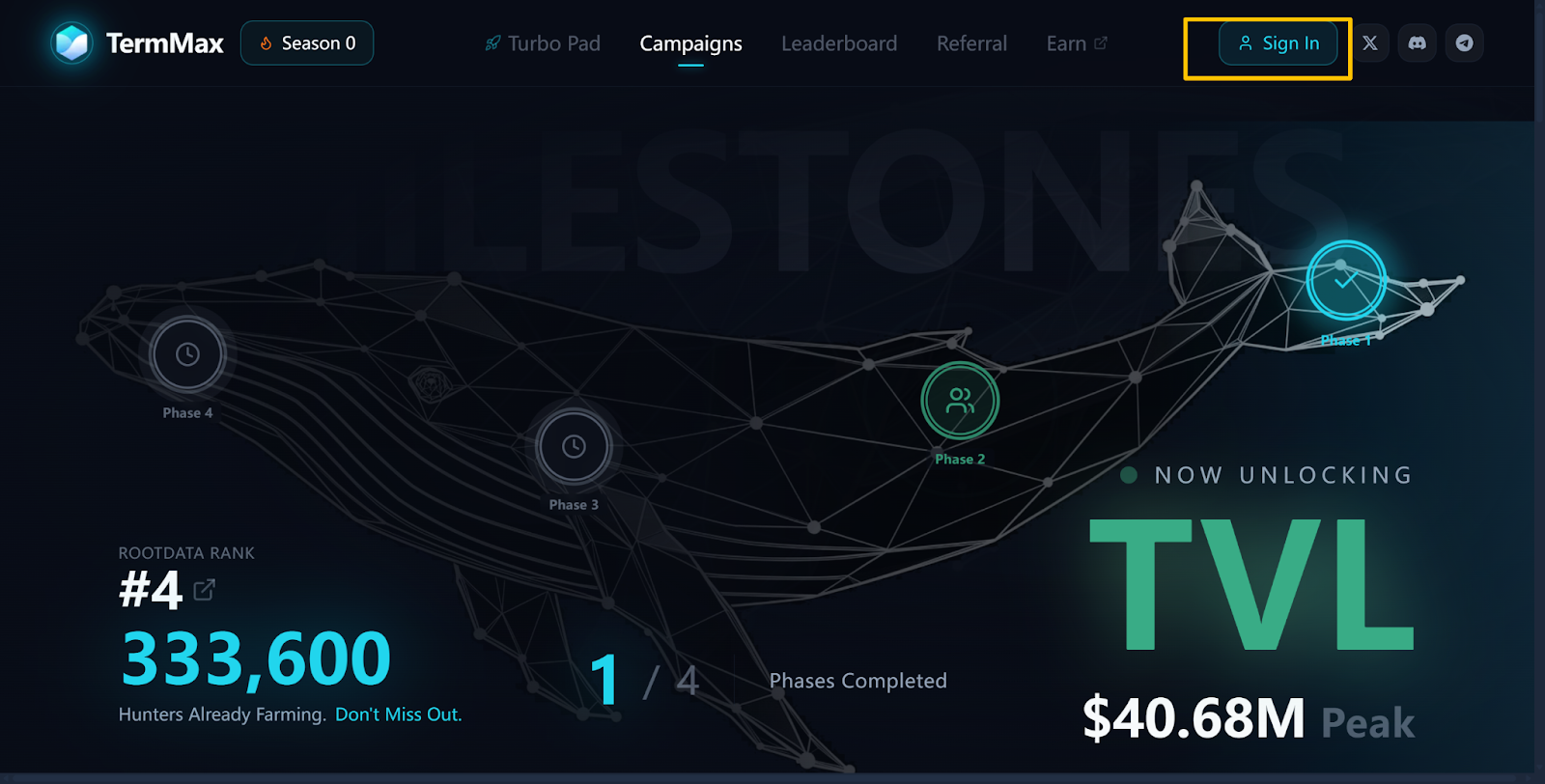
#### Step 1: Visit the website[ https://leaderboard.termmax.ts.finance/](https://leaderboard.termmax.ts.finance/)
#### Step 2: Click “Sign in”
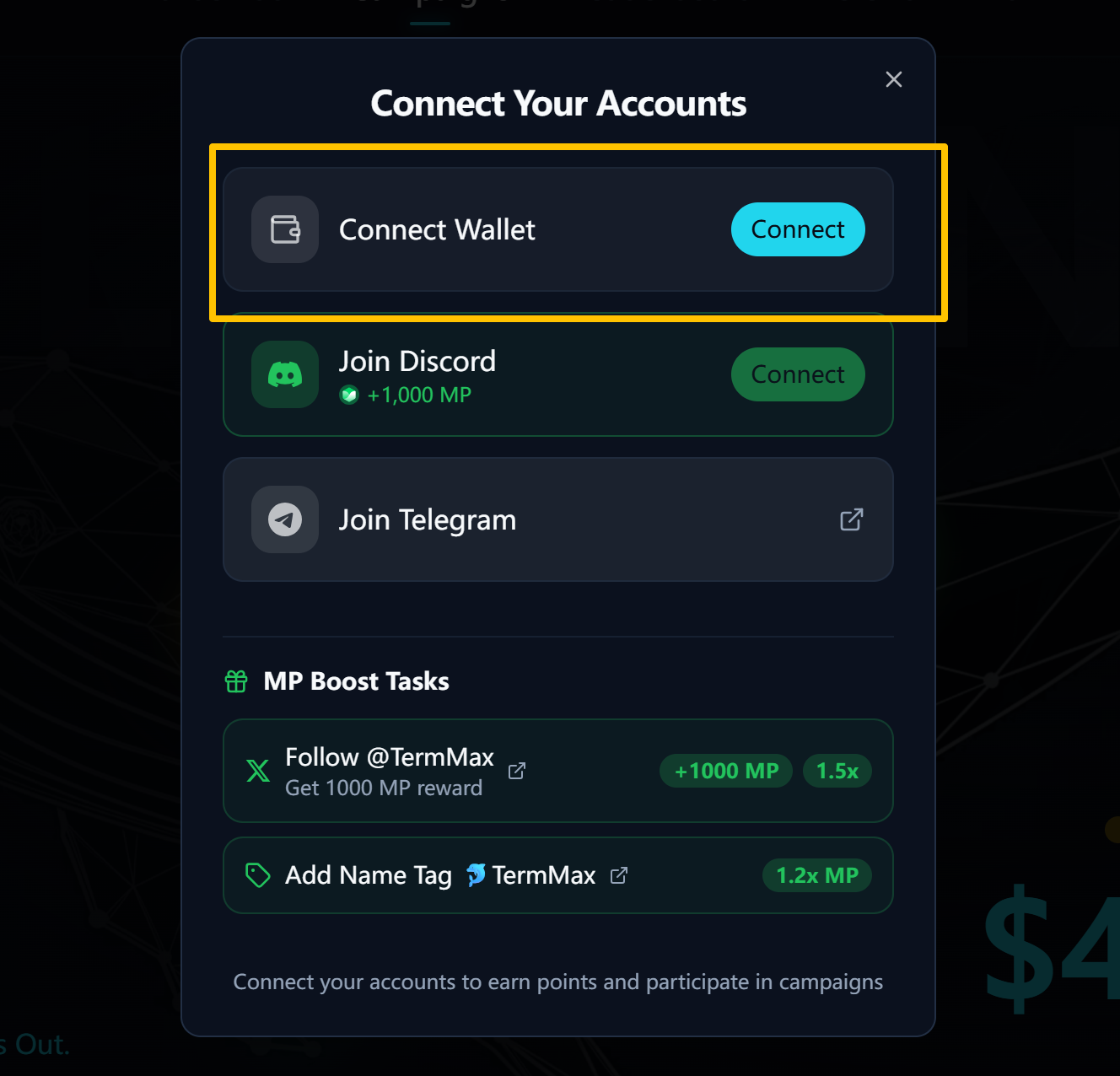
#### Step 3: Connect Wallet
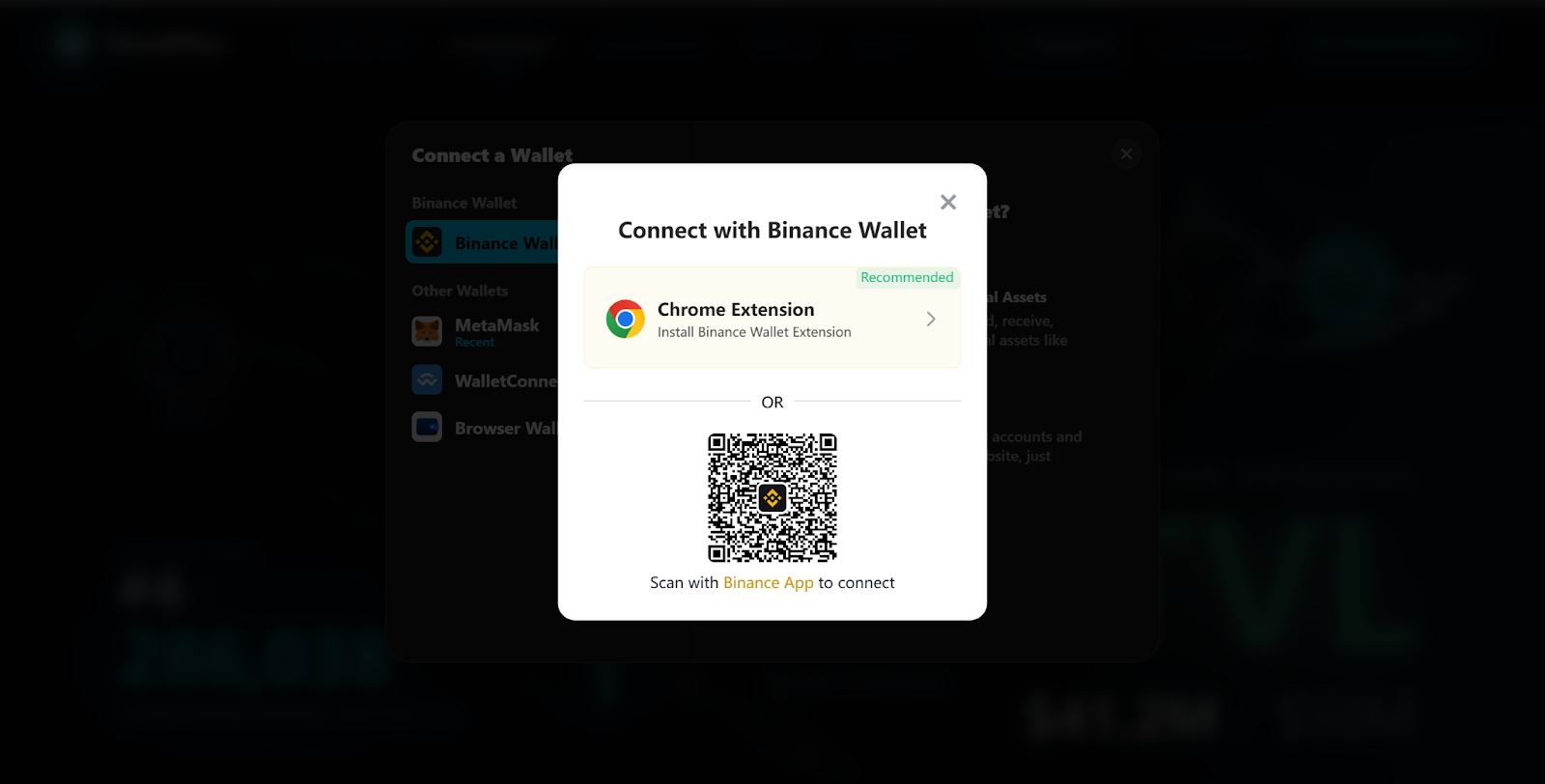
#### Step 4: Choose Binance Wallet and Install the Extension
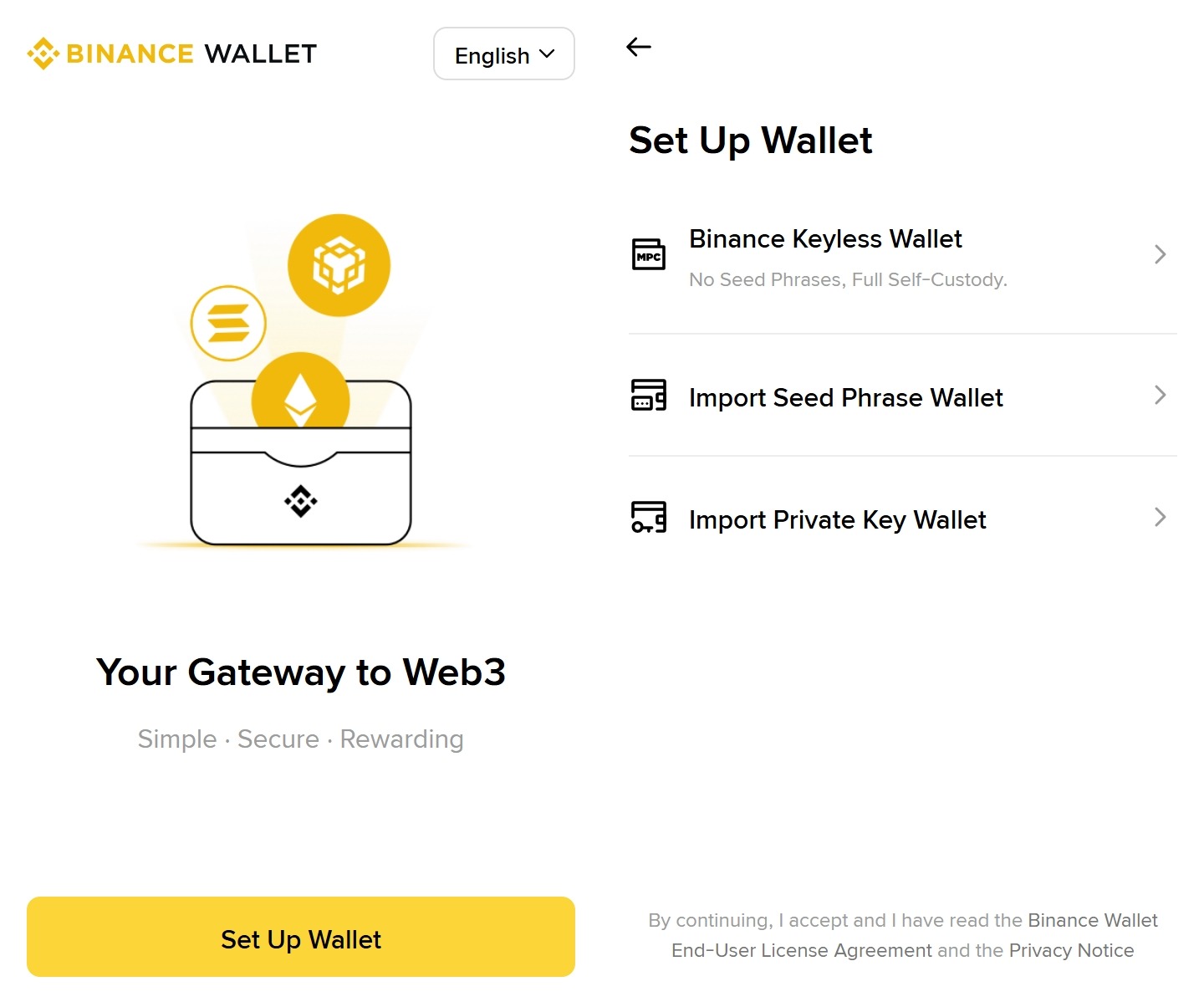
Install the [Binance Wallet extension](https://chromewebstore.google.com/detail/binance-wallet/cadiboklkpojfamcoggejbbdjcoiljjk?utm_medium=sdk\&utm_source=leaderboard.termmax.ts.finance), set up your wallet (you can import any wallet using keyless, seed phrase, or private key), and then connect.
#### Step 5: Wallet connected!
#### Step 6: Begin your daily check-ins and earn XP!
Scroll down the campaign page to find the check-in section and select **BNB Chain** to check in. \
\
Please note that the Binance Wallet check-in count may take 15–30 minutes to update due to on-chain processing. Kindly check back shortly.\
\
If your Binance Wallet check-in count isn’t updating, it may be because you haven’t met all the requirements listed above. Please make sure you meet them.
### Check your XP and Badge
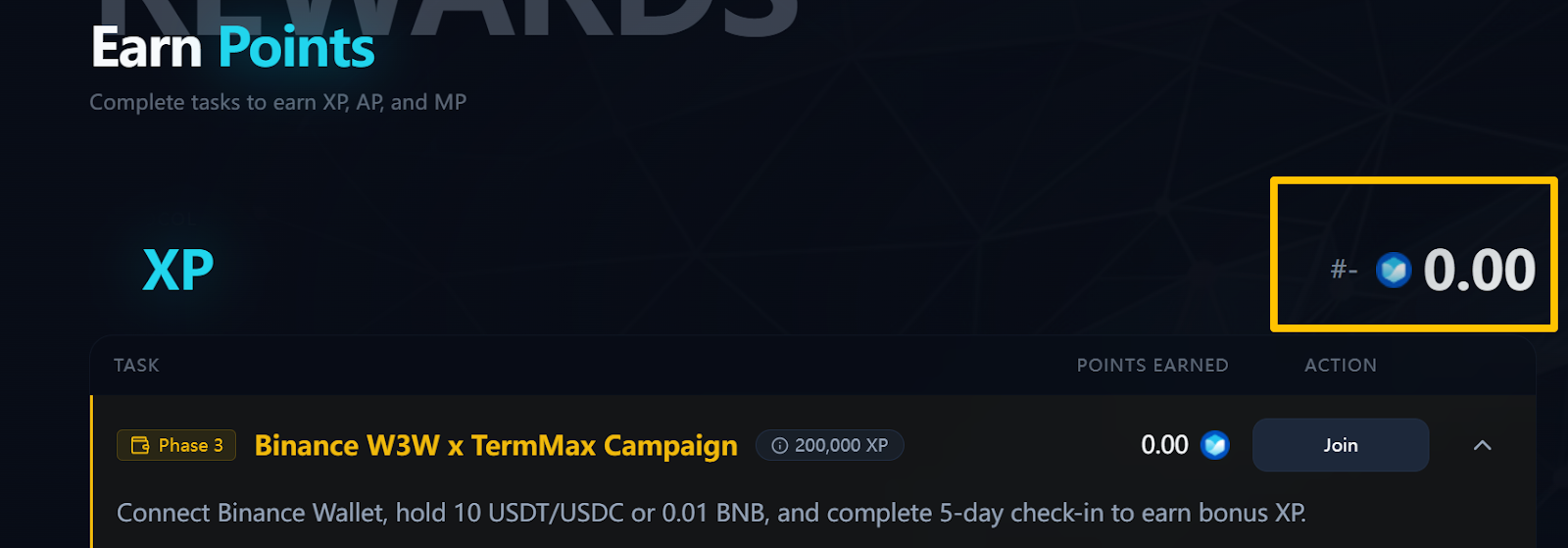
You can check your XP in the section shown in the screenshot. Please note that the 300 XP for each check-in may take some time to sync after completing a check-in.\
\
Once the requirements are met, the corresponding rewards will be distributed within approximately one day after the campaign ends.\
\
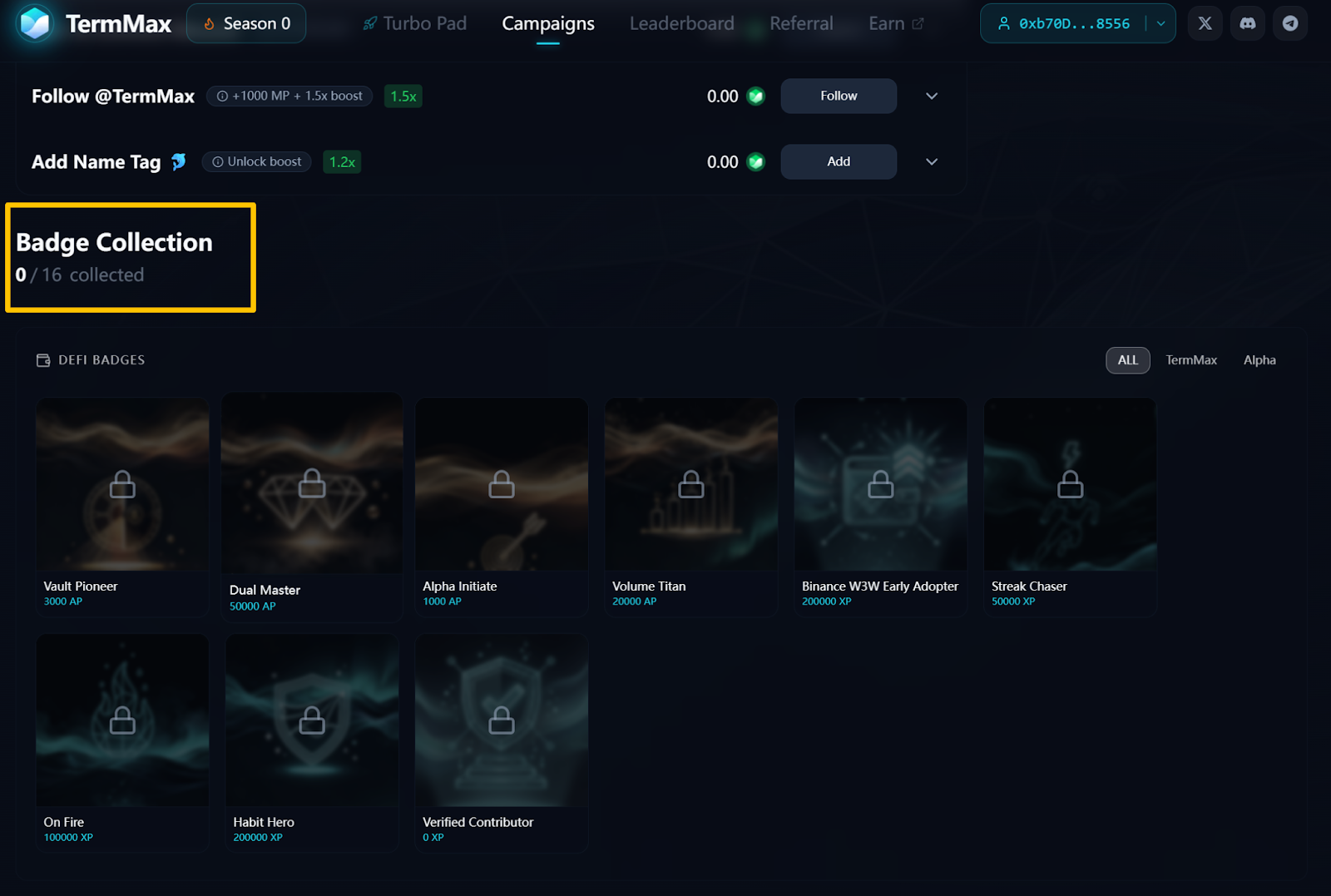
You can see your badge in the Badge Collection section.
---
# Agent Instructions
This documentation is published with GitBook. GitBook is the documentation platform designed so that both humans and AI agents can read, navigate, and reason over technical content effectively. Learn more at gitbook.com.
## Querying This Documentation
If you need additional information that is not directly available in this page, you can query the documentation by asking a question.
Perform an HTTP GET request on the following URL with the `ask` and `goal` query parameters:
```
GET https://docs.ts.finance/incentives/tutorial-binance-wallet-campaign-round-2-complete-7-days-of-check-ins-to-unlock-200k-xp.md?ask=&goal=
```
`ask` is the immediate question: it should be specific, self-contained, and written in natural language.
`goal` is what the user is ultimately trying to achieve, the reason they need the answer. Sharing it helps GitBook give you a better, more relevant answer. A goal is most helpful when it describes the outcome the user wants rather than restating the question. For example, with `ask=how do I create an API token`, a goal like `automate deployments from our CI pipeline` lets GitBook tailor the answer to that use case.
The response will contain a direct answer to the question and relevant excerpts and sources from the documentation.
Use this mechanism when the answer is not explicitly present in the current page, you need clarification or additional context, or you want to retrieve related documentation sections.